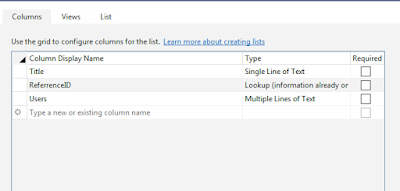
Recently I came across a requirement that I had to create folder structure in SharePoint list in the hierarchy of CurrentYear\Current Month\DateFolder. The challenge was that we need to achieve this from the client side object model (JSOM).We were not having any access on the Server Object model and there was no hidden control on the master page also which contained the date. We could not rely on the client side date as the user will be logging in from across the globe and there could be chance wrong system timing. These were all payroll details that we cannot let the items go into the wrong folder also.
So we needed some mechanism by which I can retrieve the server date through JavaScript. All searches suggested for adding some hidden control in the master page or adding a hidden webpart with server code in it.
Then I found that the “Calendar” which pops out on the date picker control is actually an iFrame i.e. there is actually a calendar page in Layouts folder, found out the page URL through the developer tool. Then again with the help of developer tool I found there is a "<td>" with class name “.ms-picker-footer” which contains today’s date. So now the answer to my problem was simple write a JQuery Load method to fetch the date value from that TD and pass it to JavaScript Date() method.
The calendar page is available in the following URL : /_layouts/iframe.aspx?&cal=1&lcid=2057&langid=2057
The iFrame.aspx page takes the parameters language ID and LCID as query string and the page will provide you the date object in your desired format. I have used the following JQuery code to retrieve the server date.
function GetServerYear() {
    $.get("/_layouts/iframe.aspx?&cal=1&lcid=2057&langid=2057", function (data) {
        var objframe = $(data).find(".ms-picker-footer").find('a:first');
        var returnedYear;

        if (Boolean(objframe) && objframe.length > 0) {
            try {
                if (objframe[0].innerText != undefined) {
                    returnedYear = new Date(objframe[0].innerText);
                }
                else {
                    returnedYear = new Date(objframe[0].innerHTML);

                }
            }
            catch (err) {
                try {
                    if (objframe[0].innerText != undefined) {
                        returnedYear = new Date(objframe[0].innerText);
                    }
                    else {
                        returnedYear = new Date(objframe[0].innerHTML);

                    }
                }
                catch (err1) {
                    returnedYear = (new Date());
                }
            }
        }
}